Autotune Explained From Scratch: A Beginner’s Guide (UK)
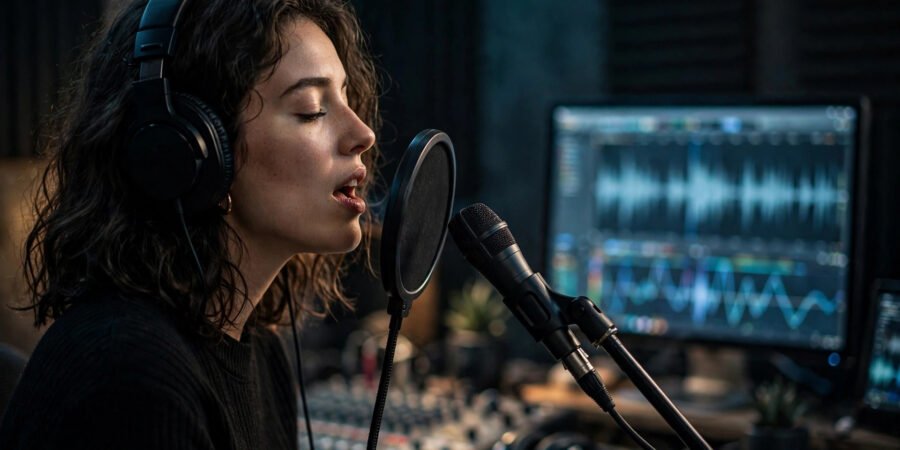
Autotune is the most misunderstood tool in music. To some it is cheating — the death of real singing. To others it is just another instrument, as legitimate as a guitar pedal. The truth, as usual, is more interesting: autotune (pitch correction) is a spectrum from invisible polish to deliberate robotic effect, it has been on virtually every commercial vocal recording for 25 years, and understanding it from scratch takes less time than you would think.
This guide explains autotune for UK readers with no background: what it is, how it works, the software options at every budget, and how to use it without sounding like a robot (unless you want to).
What Autotune Actually Is
Autotune is pitch-correction software: it detects the pitch of a sung note and shifts it to the nearest correct pitch. Invented by Antares in 1997 (originally derived from seismic data algorithms used in oil exploration — genuinely), it was first a subtle studio tool. Then Cher’s “Believe” (1998) cranked the settings to extremes, creating the robotic vocal effect — and a quarter-century of pop music followed.
The key distinction beginners miss: corrective vs creative use. Corrective autotune gently nudges slightly-off notes into tune — inaudible when done well, and present on the overwhelming majority of commercial releases across every genre, including the “authentic” ones. Creative autotune deliberately exaggerates the effect for the hard-tuned robotic sound of modern hip-hop, trap, and hyperpop. Same tool, opposite intentions. When people complain “everything uses autotune,” they are usually objecting to the audible creative style while unknowingly enjoying the invisible corrective kind.
How It Works (Without the Maths)
In plain terms: the software analyses your vocal in tiny slices, identifies each note’s pitch, compares it to the intended scale, and shifts off-pitch moments toward correctness. Two controls matter most:
- Retune speed: how fast the correction happens. Slow (20–50ms) sounds natural — the ear accepts gradual pitch movement as human. Fast (0–10ms) creates the robotic snap between notes — the Cher/T-Pain effect. This single knob is the difference between invisible and obvious.
- Scale/key: the software needs to know which notes are “correct” — set the song’s key and scale, or it will “correct” blue notes and intentional bends into wrongness.
Modern tools also offer graphical mode: you see the pitch curve of your vocal drawn on screen and manually drag notes into place — the precision tool behind the most transparent professional corrections. Automatic mode is fast; graphical mode is surgical. Watching your vocal’s pitch trace for the first time is genuinely enlightening, revealing the scoops, wobbles, and drifts your ears never noticed.
Software Options at Every Budget
- Free: Graillon 2 (free edition), Voloco (phone app — surprisingly capable), and MAutoPitch. Genuinely usable for learning and demos.
- Budget (£30–£80): Antares Auto-Tune Access (£70-ish) — the real thing, simplified. Waves Tune Real-Time often on sale under £30.
- Professional (£150–£350): Antares Auto-Tune Pro, Celemony Melodyne (the graphical-mode gold standard — technically pitch editing rather than real-time correction, and the tool behind the most transparent major-label vocals).
- Built into DAWs: Logic Pro has Flex Pitch built in; FL Studio has Newtone and Pitcher; Cubase has VariAudio. Check your DAW before buying anything.
Start free, learn what the controls do, and only spend money when you know which limitations are actually blocking you.
Sixty Seconds of History
1997: Antares releases Auto-Tune as a subtle studio tool. 1998: Cher’s “Believe” weaponises it into an effect, and pop changes forever. 2000s: T-Pain builds a career on the hard-tuned sound; Jay-Z declares its “death” in 2009 — it survives effortlessly. 2010s: trap and SoundCloud rap make heavy tuning the default vocal aesthetic of a generation. 2020s: hyperpop pushes it further while “authentic” genres use it invisibly. Through it all, the corrective use never left — it just stopped being discussed.
Using It Without Sounding Like a Robot
Get the performance close first. Autotune polishes; it does not rescue. A take that is 90% in tune becomes 100% transparently; a take that is 60% in tune becomes weirdly warbled. The best pitch correction starts with the best performance you can give — our karaoke confidence guide applies to studio nerves too.
Slow retune speeds for natural results. 20–40ms on the retune speed keeps correction inaudible on most material. Only go faster deliberately, for effect.
Correct selectively. Do not blanket-process the whole vocal — automate or manually correct only the phrases that need it. Untouched passages preserve human character; over-processed everything sounds sterile.
Watch the vibrato. Heavy correction flattens natural vibrato into a lifeless straight line. Ease off on sustained notes, or use graphical mode to preserve the vibrato’s shape while centring its pitch.
Learn the key. Wrong key/scale settings create the infamous “wrong-note” autotune sound — worse than no correction at all. When in doubt, use chromatic mode and correct manually.
For the broader journey of getting music out into the world, our guide to keeping up with new album releases shows how the industry moves — and the BBC Music and Official Charts document the autotuned era in real time.
The Bottom Line
Autotune is pitch-correction software that shifts sung notes toward correct pitch — used invisibly on most commercial records for 25 years, and audibly as a creative effect since Cher’s “Believe.” Learn it free with Graillon or your DAW’s built-in tools; control retune speed (slow = natural, fast = robotic); set the right key; and correct selectively rather than blanketing everything. The tool is not the cheat — the cheat is bad singing plus heavy processing. Good performances, lightly polished, are what the professionals actually do.
Frequently Asked Questions
Is using autotune cheating?
No more than using reverb, EQ, or any studio tool. Every recorded vocal in history has been processed; pitch correction is one process among many. The “cheating” framing confuses live performance (where it is rarely used) with recording (where polish is the entire craft). The studio is a workshop; the stage is the test.
Can autotune make a bad singer sound good?
Only up to a point. It fixes pitch, not tone, timing, emotion, or microphone technique — and heavy correction on a weak performance sounds obviously artificial. It elevates decent singers to polished; it cannot manufacture a great vocalist from nothing.
What is the difference between Autotune and Melodyne?
Auto-Tune (Antares) is primarily real-time automatic correction — fast, and the source of the famous effect. Melodyne (Celemony) is graphical manual editing — slower, surgical, and the tool behind the most transparent professional corrections. Studios typically own both and use each where it excels; many engineers track with Auto-Tune for monitoring, then refine with Melodyne — the industry-standard hybrid workflow.
Do I need autotune for live performance?
Almost certainly not as a beginner — live pitch correction exists but is finicky, latency-sensitive, and unnecessary while you are developing. Focus on singing well; studio polish comes later, in the studio, where it belongs.
Why does some autotune sound robotic and some invisible?
Retune speed, almost entirely. Fast correction (near 0ms) snaps between notes with no glide — the robot effect. Slow correction (20ms+) lets natural pitch transitions survive — inaudible polish. Same software, one knob, opposite results. Master that knob and you master the tool.