Build Your First Gaming PC on a Budget: A Bristol Beginner’s Guide
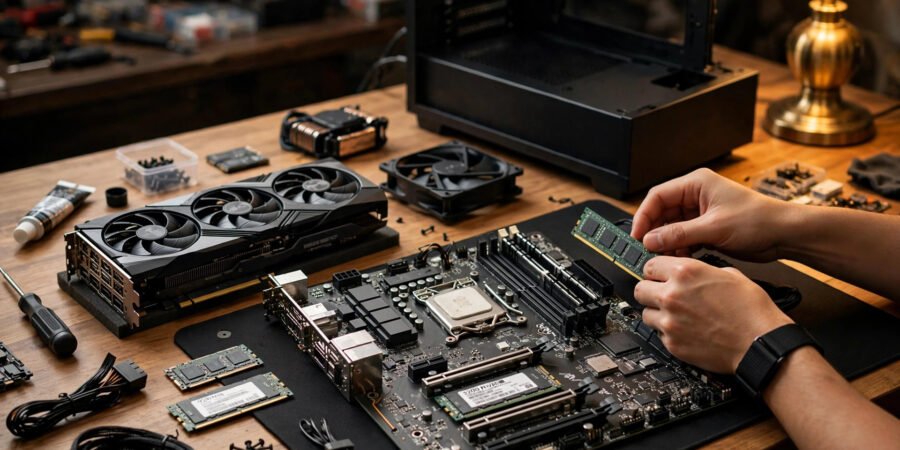
Building your first gaming PC is one of those projects that looks terrifying from the outside and turns out to be adult Lego on the inside. The parts only fit one way, the manuals are thorough, and thousands of first-timers in Bristol complete successful builds every year. The real challenge is not the assembly — it is choosing the right parts without overspending, which is where beginners waste the most money.
This guide walks through building your first gaming PC on a budget in 2026: what each part does in plain English, a sensible parts list at two budget levels, where to buy in the UK, and the mistakes that cost beginners real money.
What Each Part Does (Plain English)
- CPU (processor) — the brain. Handles game logic, physics, and background tasks. For budget gaming, a mid-range AMD Ryzen 5 or Intel Core i5 is the sweet spot — more than enough, without the premium price of flagship chips.
- GPU (graphics card) — the artist. Renders everything you see. This is where most of your budget should go: the GPU determines your frame rates and visual quality more than any other part. An RTX 4060 or RX 7600-class card handles 1080p gaming beautifully in 2026.
- Motherboard — the nervous system. Connects everything. For a first build, a mid-range B650 (AMD) or B760 (Intel) board has every feature a beginner needs.
- RAM — short-term memory. 16GB is the 2026 baseline for gaming; 32GB is nice but unnecessary on a budget.
- Storage (SSD) — the filing cabinet. A 1TB NVMe SSD is the minimum worth buying — modern games are enormous (some exceed 150GB), and SSDs make everything feel instant.
- PSU (power supply) — the heart. Converts wall power for your components. Never cheap out here: a failing PSU can kill other parts. 550–650W from a reputable brand with an 80+ Bronze rating or better.
- Case — the skeleton. Holds everything, manages airflow. Any well-reviewed mid-tower with a mesh front panel works.
- CPU cooler — usually included. Stock coolers bundled with budget CPUs are adequate; upgrade later if noise bothers you (our explainer on noisy laptop fans covers the same cooling principles in miniature).
Two Sensible Budget Builds for 2026
The £600–£700 build (great 1080p gaming)
Ryzen 5 5600 or Intel i5-12400F (£110–£140) · RTX 4060 or RX 7600 (£250–£300) · B550/B660 motherboard (£90–£110) · 16GB DDR4 (£40–£50) · 1TB NVMe SSD (£55–£70) · 550W 80+ Bronze PSU (£50–£65) · mesh mid-tower case (£45–£60). Total: roughly £640–£695. This plays virtually any 2026 release at 1080p high settings, 60+ fps.
The £850–£1,000 build (1080p ultra / 1440p entry)
Ryzen 5 7600 or Intel i5-14400F (£160–£200) · RTX 4060 Ti or RX 7700 XT (£350–£420) · B650/B760 motherboard (£120–£140) · 16GB DDR5 (£55–£70) · 1TB NVMe SSD (£55–£70) · 650W 80+ Bronze PSU (£60–£75) · mesh mid-tower case (£50–£65). Total: roughly £850–£1,040. Comfortable 1440p gaming and a platform with years of upgrade headroom.
Prices fluctuate — use PCPartPicker’s UK site to check compatibility and live pricing before buying, and set price alerts on components.
Where to Buy Parts in the UK
Reputable UK retailers include Scan, Overclockers UK, CCL, Ebuyer, and Box — all with solid returns policies and customer service. Amazon UK is fine for some parts but watch for third-party sellers on high-value items like GPUs. For Bristol locals, there is real value in ordering from one or two retailers to simplify any returns, and Bristol’s own tech community (meetups, university societies) is full of experienced builders happy to sanity-check a parts list. The city also has independent computer shops worth visiting for advice and last-minute cables — the kind of local expertise no algorithm replicates.
Consider the used market carefully: a used GPU from a reputable seller can save £80–£150, but verify return policies and test immediately on arrival. Our guide to buying used games consoles safely covers the verification mindset that applies equally to second-hand PC parts.
Beginner Mistakes That Waste Money
- Overspending on the CPU, underspending on the GPU. For gaming, the GPU matters roughly twice as much. A £300 CPU with a £200 GPU is backwards; flip the ratio.
- Buying a cheap PSU. A £25 no-name power supply is a fire risk with your £300 graphics card attached. This is the one component where brand reputation is non-negotiable.
- Ignoring the motherboard’s future. A slightly better board with an extra M.2 slot and RAM slots costs £20 more now and saves a full rebuild later.
- Forgetting the operating system and peripherals. Windows licences, a monitor capable of showing what your GPU renders, and decent input devices are real costs — budget £150–£300 beyond the tower if starting from zero.
- Building without a guide. Watch a full build video with your exact case or motherboard first. Twenty minutes of preparation prevents the classic beginner panic of the unidentified cable.
If you are upgrading rather than building fresh, our guide to speeding up an old laptop squeezes more life from existing hardware — and the BBC’s technology coverage and Ukie, the UK games industry body, are worth following for market context.
The Bottom Line
Building your first gaming PC on a budget in Bristol comes down to: spend most on the GPU, never cheap out on the PSU, use PCPartPicker UK for compatibility, buy from reputable retailers, and follow a video guide during assembly. £650 builds an excellent 1080p machine; £900 buys 1440p comfort and upgrade headroom. The assembly itself takes an afternoon — the research takes a weekend, and it is the research that saves you money. Take it seriously, and you will end up with a machine that outperforms consoles costing the same, built by your own hands.
Frequently Asked Questions
Is it cheaper to build a PC or buy prebuilt in the UK?
Building is usually £80–£150 cheaper for equivalent specs, and you get better component quality (prebuilts often cut corners on PSUs and motherboards). Prebuilts win on convenience, single warranty, and no assembly risk. For a first-timer on a budget, building teaches valuable skills — but a well-reviewed prebuilt is a legitimate choice.
How long does it take to build a PC first time?
Plan a full afternoon: 3–5 hours for careful first-time assembly including cable management, plus an hour for OS and driver installation. Rushing causes the mistakes; the parts themselves only fit one way.
Do I need to buy Windows?
Strictly, yes for a licence — though Windows 11 runs unactivated with minor limitations (watermark, no personalisation), and many builders buy a licence later. Alternatively, Linux gaming via Steam’s Proton compatibility layer is increasingly viable, though less beginner-friendly.
What tools do I need?
One Phillips-head screwdriver, patience, and a clean table. An anti-static wrist strap is nice but optional if you ground yourself by touching the case periodically. That is genuinely it — no specialist tools required.
Can I upgrade the PC later?
Yes — that is the point. GPUs, RAM, and storage are straightforward swaps; CPUs can be upgraded within the motherboard’s supported generation. Building on a current platform (AM5 or LGA1700 in 2026) gives you years of drop-in upgrade options. Start with the GPU and storage if upgrading piecemeal; they deliver the most noticeable gains per pound.