What is the Difference Between Fibre and Full Fibre Broadband in the UK
What is the difference between fibre and full fibre broadband in the UK? The adverts call everything “fibre”, which is precisely the problem — there’s a world of difference between the two, and the naming is, frankly, a con. I’ve had both, and the upgrade was the single best broadband change I’ve made.
Here’s the honest breakdown.
What Is the Difference Between Fibre and Full Fibre?
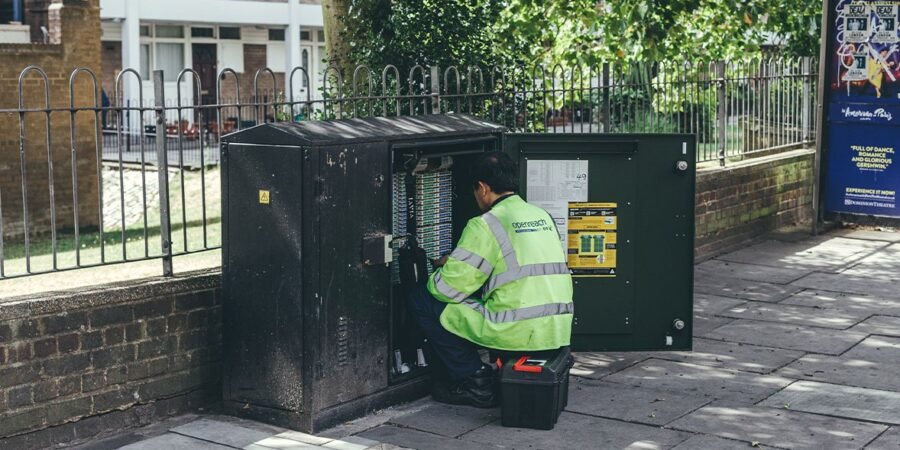
“Fibre” (FTTC — Fibre to the Cabinet): fibre optic cable runs to the green street cabinet, then good old copper phone line for the last stretch to your house. That copper is the bottleneck: speeds of 35–67 Mbps down, 7–10 Mbps up, degrading with distance from the cabinet. If you’re 800 metres from the cabinet, you’re getting the slow end.
“Full fibre” (FTTP — Fibre to the Premises): fibre optic cable all the way into your home. No copper, no distance degradation. Speeds from 100 Mbps to 900+ Mbps down, with upload speeds dramatically better (often 20–100+ Mbps). It’s not just faster — it’s a different technology generation.
The ASA (advertising regulator) lets providers call FTTC “fibre broadband”, which misleads millions into thinking they have the good stuff. Check what you actually have: your bill, your provider’s checker, or Ofcom’s availability checker. If your upload speed is under 10 Mbps, you’re almost certainly on FTTC. How Do I Hide My Wi-Fi Network from My Neighbours
Speed, Reliability and Real-World Difference
Speed: full fibre’s headline numbers are flashy, but the real-world wins are upload speed and consistency. FTTC upload of 8 Mbps chokes with two people on video calls plus cloud backup; full fibre’s 20+ Mbps upload doesn’t break a sweat. And FTTC slows at peak times and with distance; full fibre delivers its speed 24/7.
Reliability: copper phone lines are vulnerable to water ingress, corrosion, and electrical interference — the source of countless “intermittent fault” sagas. Fibre optic cable is immune to all of that. Full fibre connections are measurably more reliable, with fewer faults and faster fault-finding when things do go wrong.
Latency: full fibre typically halves ping times versus FTTC — noticeable for gaming and video calls. None of this matters much for casual browsing, but for a work-from-home household, the difference between FTTC and full fibre is the difference between “coping” and “not thinking about it”. Ofcom’s broadband advice hub
- FTTC = fibre to street cabinet, copper to your house
- Full fibre = fibre all the way into your home
- ‘Fibre’ in adverts usually means FTTC, not full fibre
- Full fibre wins on upload speed, reliability and latency
- Check your upload speed — under 10 Mbps means FTTC
Should You Upgrade? Costs and Availability
Availability first: full fibre now passes the majority of UK premises and is expanding fast — check your postcode on your provider’s site or comparison sites. Some streets have full fibre from alt-nets (CityFibre, Hyperoptic, Community Fibre) but not Openreach, so check all of them, not just your current provider.
Cost: here’s the pleasant surprise — full fibre often costs the same or only £3–£8/month more than equivalent FTTC, and introductory deals frequently make it cheaper than what you’re paying now. The 100–150 Mbps full fibre tier is the sweet spot for most households.
Installation: an engineer runs fibre from the street to your house (a few hours, usually free on sign-up), installing a small ONT box inside where the fibre terminates. There’s minor drilling involved — renters need landlord permission. My verdict: if full fibre is available at your address and the price is close, upgrade without hesitation. It’s the most future-proofed utility upgrade available, and you’ll wonder why you waited. Why Does My Wi-Fi Signal Drop in Certain Rooms of My House Openreach: full fibre availability checker
The Installation: What Actually Happens on the Day
Switching to full fibre involves a physical installation — here’s what to expect. An Openreach (or alt-net) engineer runs a thin fibre cable from the street (underground duct or overhead pole) to your house, drills a small hole through the wall, and installs the ONT (optical network terminal) — a small white box, roughly paperback-sized — inside your home. Your router then plugs into the ONT instead of the phone socket.
Practical points: think about where you want the ONT — near the router’s ideal central location saves wifi headaches later; the engineer will advise but you decide. The install takes 2–4 hours; someone over 18 must be home. Flats need wayleave/landlord permission for communal areas — sort this before booking or the engineer can’t complete the job. There’s minor drilling and a slim cable clipped along the outside wall — neat enough that most people stop noticing it within a week. And it’s usually free when signing up to a full-fibre package.
Quick Tips
- ‘Fibre’ in ads usually means part-copper FTTC
- Full fibre = fibre to your door, no copper bottleneck
- Upload speed is the biggest real-world difference
- Often only £3–£8/month more than FTTC
- Check alt-nets too — not just your current provider
Frequently Asked Questions
How do I know if I have full fibre?
Check your upload speed — consistently above 15–20 Mbps strongly suggests full fibre. Or use your provider’s availability checker with your postcode.
Is full fibre worth it for normal browsing?
For light use, FTTC suffices. For working from home, video calls, uploads, gaming, or busy households — yes, the reliability and upload alone justify it.
Will I lose my landline when switching to full fibre?
Full fibre doesn’t use the phone line, so traditional landline service ends — but most providers offer digital voice (VoIP) over the fibre connection as a replacement.
Will full fibre installation damage my property?
Minimally — one small drilled hole for the cable entry and slim external cable clips. Engineers are experienced at tidy installs and will agree the cable route with you. Listed buildings or conservation areas may need extra permissions; check with your council first.
The Bottom Line
“Fibre” is usually copper in disguise; “full fibre” is the real thing — fibre to your door, with the upload speeds, reliability, and consistency to match. If it’s available at your address for a few pounds more a month, it’s one of the easiest upgrade decisions in home tech. Check your postcode, check the alt-nets, and stop paying full-fibre prices for part-copper speeds. Can I Watch UK TV Catch Up Apps on a Firestick When Abroad

