Video Job Interview Mistakes: 7 That Cost People Jobs
The interview went well. You answered brilliantly, built rapport, nailed the technical questions — and then never heard from them again. What you did not know: the hiring manager decided in the first ninety seconds, based on your backlit silhouette, your echoing kitchen, and the cat walking across your keyboard during the competency question. Video interviews have quietly become the default first stage across UK hiring, and candidates keep making the same avoidable mistakes — not from incompetence, but because nobody taught them that video is a different medium with different rules. What are the biggest mistakes people make when they prepare for a video job interview? The seven below, all fixable, all common, all costing people jobs weekly.
Mistake 1: Treating tech as an afterthought
The number-one video interview killer is technical failure — and it is almost always preventable. Test everything 24 hours before: the exact platform (Teams, Zoom, Meet — they behave differently), camera, microphone, speakers, and internet stability. Join from the device you will use, in the location you will use, at a similar time of day. Have a backup: phone hotspot ready, the interviewer’s phone number saved, the app installed on your phone as fallback. Charge everything. Close bandwidth-hogging applications. And know the platform’s basics — screen sharing, mute/unmute, camera toggle — because fumbling them live reads as disorganisation. One candidate in three reports a tech issue in video interviews; the ones who recover gracefully (“Let me switch to my phone hotspot — one moment”) are remembered positively, but the ones who never tested are remembered at all, unfavourably.
Mistake 2: The lighting and framing disaster
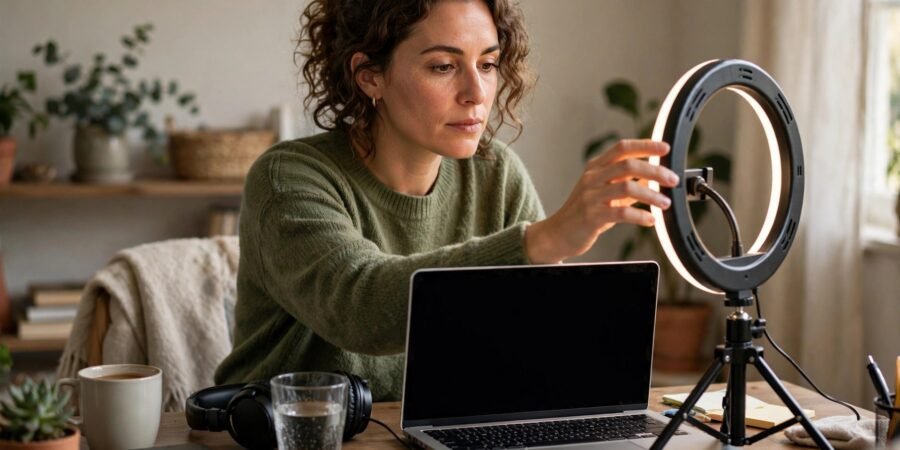
Interviewers cannot hire a silhouette. The rules: face your light source — a window in front of you, never behind (backlighting turns you into a witness-protection interviewee); camera at eye level (stack books under the laptop — the up-nostril angle undermines everyone); frame from mid-chest up with a little headroom; and check the background — tidy, neutral, no confidential work materials, no unmade bed. Virtual backgrounds are acceptable but glitchy; a real tidy room beats a flickering fake office. Do a full test call with a friend and ask specifically: “Can you see my face clearly? What is behind me?” Our guide to dressing well for a video job interview at home covers the visual presentation half of this equation in detail.
Mistake 3: Sound sabotage
Bad audio kills interviews faster than bad video — interviewers forgive a grainy picture but disengage from echoey, cut-out speech. Use headphones or earbuds (they eliminate echo), choose the quietest room (not the kitchen with the humming fridge), warn the household with a door sign, and silence every notification on every device. The cat/dog/child cameo is charming exactly once and unprofessional thereafter — shut the door. If you live somewhere unavoidably noisy, say so upfront with a brief apology and a plan (“There may be some street noise — I will mute when not speaking”); acknowledged imperfection beats unexplained chaos.
Mistake 4: Reading, not conversing
Video tempts candidates into behaviours that read terribly: reading answers from notes (eyes visibly darting), over-reliance on a script (monotone delivery), or the opposite — winging it with no preparation because “it is just a chat”. The sweet spot: bullet-point prompts on sticky notes beside the camera (not below — eye-line matters), thoroughly prepared stories in STAR format, and genuine conversational energy. Eye contact on video means looking at the camera, not the faces on screen — it feels unnatural but reads as confidence. Place a small dot or photo next to your webcam as a reminder. And smile: video flattens affect, so you need about 20% more warmth than feels natural to read as normal.
Mistake 5: Forgetting it is still an interview
The casualness of home breeds casualness of conduct: dressing fully only above the waist (stand up and the illusion shatters — dress completely), slouching, checking the phone, or treating it as “just a screening call” and under-preparing. It is a real interview with real stakes — research the company, prepare questions, bring the same rigour as an in-person meeting. Body language still counts: sit upright, lean slightly in when making key points, use natural hand gestures (visible in frame). And the closing matters: ask about next steps and timelines explicitly, then send a thank-you email within hours referencing something specific from the conversation.
Mistake 6: No plan for the curveballs
Video-specific curveballs need pre-planned responses: connection drops — have the interviewer’s number, rejoin calmly, apologise once and continue; “Can you share your screen?” — close sensitive tabs beforehand and know how; panel interviews — address answers to the asker but glance at others; recorded one-way interviews (increasingly common) — these are performances, not conversations: structure answers tightly, use the full time, and do a practice recording to check your energy. Prepare for the standard questions too — the CV and application preparation you did to get the interview should feed directly into your answer bank.
Mistake 7: Neglecting the before and after
The interview starts before the call: log in 5–10 minutes early (not 20 — that creates awkward waiting), have water nearby, use the bathroom, and do two minutes of power-posing or breathing to settle nerves. And it ends after the call: notes on what went well and what did not (while fresh), the thank-you email, and a LinkedIn connection request to the interviewer with a brief personalised note. Candidates who do the after-work get remembered; candidates who vanish get forgotten. The National Careers Service interview guidance is a solid free checklist to run through the night before.
Conclusion
The biggest mistakes people make preparing for video job interviews are all failures of medium-awareness: untested tech, bad lighting and sound, reading instead of conversing, casual conduct, no curveball plan, and neglecting the before-and-after. Fix these seven and the interview becomes what it should be — a conversation about your merits, not a referendum on your webcam. The job goes to the best candidate who presents best on the day. Make sure that is you.
Frequently Asked Questions
What are the biggest mistakes people make when they prepare for a video job interview?
The seven classics: not testing technology in advance, poor lighting and camera framing, bad audio (echo, background noise), reading from notes instead of conversing, treating it too casually, having no plan for tech failures or curveball formats, and skipping the pre-call preparation and post-call follow-up. Acas interview guidance also covers what good remote-interview preparation looks like from the employer’s side, which tells you exactly what they are looking for.
How should I set up my camera and lighting for a video interview?
Face a window or light source (never sit with your back to one), position the camera at eye level, frame from mid-chest up, and ensure a tidy neutral background. Do a test call with a friend to verify.
Should I look at the camera or the screen during a video interview?
Look at the camera when speaking — it reads as eye contact and confidence. Glance at the screen when listening. Place a small marker next to your webcam as a reminder until it becomes habit.
What do I do if my connection drops mid-interview?
Stay calm, rejoin via your backup (phone hotspot or phone app), apologise once briefly, and continue. Having the interviewer’s phone number saved beforehand turns a disaster into a minor hiccup — which is why preparation matters.